台本から動画へ
You wrote every sentence and want them kept. Paste your script: ClipOnIt splits it into scenes, finds the visuals for each sentence and renders a vertical video.
Free: 3 videos a month with a watermark · 24 visual styles, plus your own
Your words, our staging
When the script is yours, what is left is the visual work: finding a picture for each sentence, bringing it in at the right moment, keeping a consistent style. That is what ClipOnIt does. Each sentence becomes a scene, each key word can trigger an element, and the voice reads your text.
Write for the ear: short sentences, a subject and a verb, rounded figures. Put your best line first, it decides whether people stay. If you want a precise split, separate your scenes with line breaks and check the split before rendering.
How to do it in 3 steps
- Paste the script
One sentence per line to guide the split.
- Check the scenes
Review the split and the suggested visuals, change what does not fit.
- Render the video
Synthetic voice or yours, word-by-word captions, 1080×1920 MP4.
What people use it for
- YouTuber scriptThe short version of a long video, for Shorts.
- Ad scriptA hook, a benefit, a call to action, in 20 seconds.
- News story recapA chronological sequence, scene by scene.
- PitchYour pitch script, as a video to attach to an email.
- Pre-written seriesTen scripts written in one sitting, ten videos rendered in the week.
Recommended styles
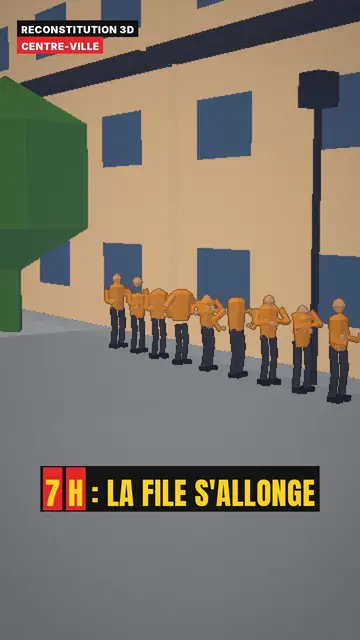
3D reconstruction
Daylight 3D reconstruction with the place on screen, for a story set in a specific location.
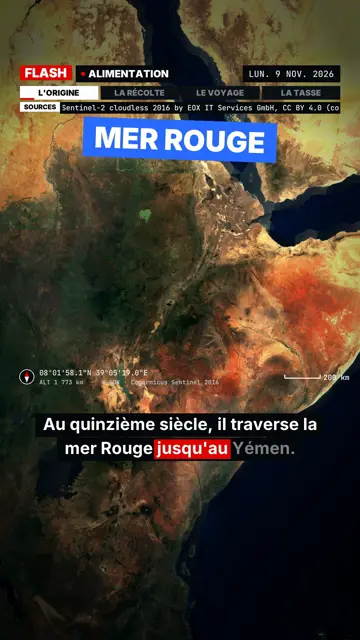
Flash brief
Breaking-news pace, slammed captions and a box on the spoken word, for a punchy script.
- Free
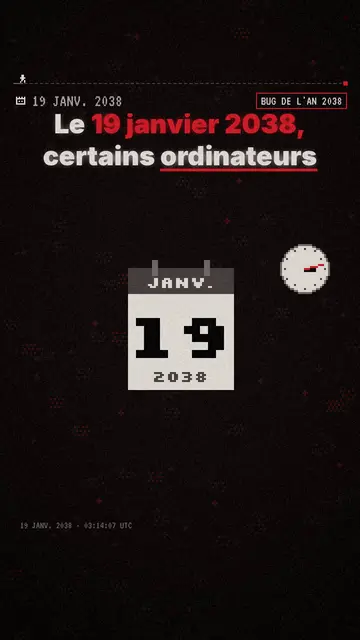
ピクセル・ニュース
TV-news pixel art with date and stamp, for a news script. Included in the free plan.
A sample script
A 20-second ad script for a bakery, pasted with “I have my script”. The blank lines give four scenes, and the voice reads exactly these words (an example written for this page):
It is 6 a.m. The oven has been on for an hour. / Our baguette rises for 24 hours, not 2. / The result: a crust that crackles and a crumb that lasts until evening. / Lilac Street, open from 6:30. Come and taste it warm.
Mistakes to avoid
- Writing stage directions“[wide shot of the city]” will be read aloud. Put only the spoken text; visuals are chosen afterwards.
- Numbers written both ways“24 (twenty-four) hours” will be read twice. Pick one form and keep it throughout the script.
- A script with more than 20 scenesBeyond that, the editor asks you to shorten it. Split it into episodes instead, each with its own hook.
Length, fixes and limits
- Recommended lengthCount about 2.5 words per second: 50 words make 20 seconds, 110 words make 45 seconds. For an ad, stay under 30 seconds; for a story, a minute is often enough.
- Fine-tune with the AI DirectorYour sentences stay yours. The Director (paid plans) works on the staging: “an oven in scene 1”, “the price up big at the end”, “more pace”. If it suggests touching the text, you can say no.
- LimitsClipOnIt does not read script files (Word, PDF, Final Draft): copy and paste the text. Scenes are illustrated with the style's library, not with your own photos.
Frequently asked questions
Format, voice, pricing: the short answers.
Is my script kept word for word?
It is used for the narration and the split. Review the script in the editor before rendering: what you see there is what the voice will read.
Can I pick a scene's visual?
Yes: search the library by keyword and place an element, or ask for a scene variant (paid plans).
What is the maximum length?
The video lasts as long as the narration. For social media, stay under a minute and a half; beyond that, split it into episodes.
What about Claude?
ClipOnIt's MCP server (from the free plan) lets Claude send a script and get the finished video back.
How do I force a scene break?
Leave a blank line between two passages: each paragraph starts a new scene. A scene holds about thirty words at most.
Can I choose the voice that reads my script?
Yes, from 10 synthetic voices (6 in French, 4 in English), under “More options”. On paid plans you can also record your own reading.
Is it free?
Yes, to start: the free plan gives 3 videos a month with a ClipOnIt watermark, in 8 styles (Pixel News, Press paper, Comedy cartoon, Class sketch, Night tale, Social screen, Retro synthwave, Flat vector), no credit card. Starter ($29/month): 15 watermark-free videos, all 24 styles plus your own, your own voice and the AI Director. Pro $49: 30 videos. Business $149: 100 videos and 3 seats.
Your video, in this style
Write one sentence: the style is already picked when you reach the editor.