解説動画メーカー
ClipOnIt's free generator starts from one sentence: it drafts the narration, finds the visuals, adds the voice and the captions. Three videos a month without paying or entering a credit card.
Free: 3 videos a month with a watermark · 24 visual styles, plus your own

What you get for free
The free plan gives three complete videos a month: narration drafted by AI, animated scenes, a synthetic voice, captions and the final render. They carry a discreet watermark and end with a “Made with ClipOnIt” card. You choose from 8 styles, including Flat vector, Pixel News and Class sketch, and no credit card is asked at sign-up.
Behind your sentence, AI drafts a text sized for the length you pick (30, 45, 60 or 90 seconds), spreads it over scenes and finds drawings or 3D objects for each one among about 11,000 elements. If you like the result, a paid plan removes the watermark, opens all 24 styles and lets you fix the video by talking to the AI Director.
How to do it in 3 steps
- Type one sentence
Up to 500 characters: “why muscles ache after exercise”, “how an insurance deductible works”.
- Set length and tone
Under “More options”: 30 to 90 seconds, an educational, investigative, humorous or news tone, and one of 10 voices.
- Create the video
One click runs the writing, visuals, voice, captions and render. You touch it up afterwards if needed.
What people use it for
- Real estate“What closing costs actually cover”, in 45 seconds, for first-time buyers.
- Health and pharmacyHow to read a medicine leaflet, or why to finish a course of antibiotics.
- RestaurantsWhere the menu's ingredients come from, told scene by scene for Instagram.
- Banking and insuranceA daunting notion (deductible, interest rate, emergency fund) made simple.
- E-commerceHow to pick a size, care for a product or track an order.
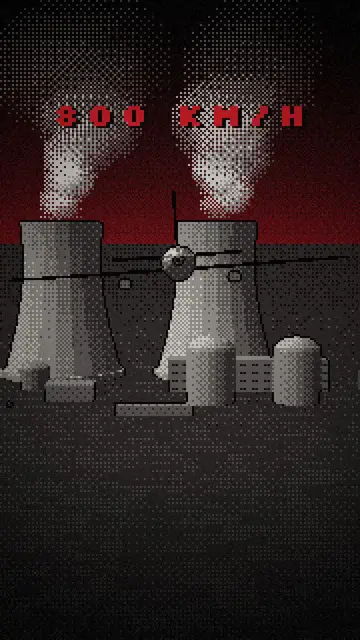
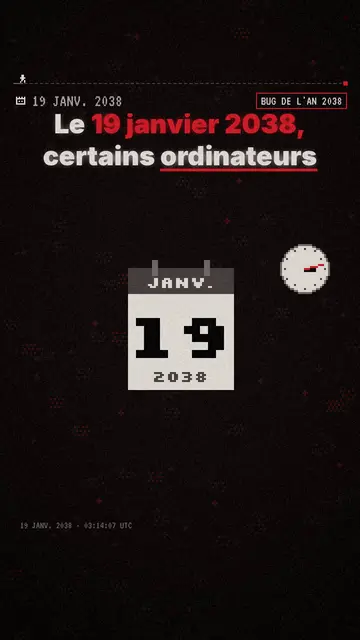
A sample script
Topic typed: “car insurance deductible, explained simply”, 30 seconds, educational tone. Here is the kind of narration this format aims for (an example written for this page):
Your car gets scratched in a parking lot. You call your insurer and hear: 300 dollar deductible. The deductible is the share of the damage left to you. An 800 dollar repair? Insurance pays 500. A 250 dollar repair? You pay it all. The higher the deductible, the lower the premium. Do you know yours?
Mistakes to avoid
- A topic that is too broad“Health” makes a vague video. “Why your muscles ache the day after exercise” makes an explanation people remember.
- Aiming for 90 seconds right awayFor a first try, pick 30 or 45 seconds: the script is tighter and you quickly see whether the style suits you.
- Posting without proofreadingAI can get a figure or a date wrong. Watch the video and read the script before you post it, especially on a health or money topic.
Length, fixes and limits
- Recommended length30 to 45 seconds for a simple notion, 60 when you need a worked example, 90 only if the topic truly has several steps. A 45-second video carries about 110 words of narration.
- Fine-tune with the AI DirectorOn paid plans, tell the Director what feels wrong: “the hook is weak”, “a chart in scene 3”. It previews its changes and you keep the ones you like. On the free plan, you edit by hand.
- LimitsThe generator starts from what you type or paste: it reads neither PDFs nor article links. It renders only in vertical 1080×1920, with no avatar, and its synthetic voices speak French or English.
Frequently asked questions
Format, voice, pricing: the short answers.
How long does a video take?
The render takes a few minutes. The script and scenes are ready before that, so you can review and edit them before the final render.
Do I need drawing or editing skills?
No. Elements come from the chosen style's library and sync to the narration on their own. You can still move, hide or lock an element by hand.
Does the free plan give a complete video?
Yes, the same as on paid plans: a vertical 1080×1920 MP4 with voice and burned-in captions. Only the watermark, the end card and the choice of 8 styles differ.
Can I use my own voice?
On paid plans, yes: your recorded narration is transcribed and the visuals sync to your words. The free plan uses one of the 10 synthetic voices (6 in French, 4 in English).
What happens after the 3 free videos?
The counter resets the following month. If you want more right away, Starter ($29/month) gives 15 watermark-free videos a month and opens all 24 styles.
Is it free?
Yes, to start: the free plan gives 3 videos a month with a ClipOnIt watermark, in 8 styles (Pixel News, Press paper, Comedy cartoon, Class sketch, Night tale, Social screen, Retro synthwave, Flat vector), no credit card. Starter ($29/month): 15 watermark-free videos, all 24 styles plus your own, your own voice and the AI Director. Pro $49: 30 videos. Business $149: 100 videos and 3 seats.
Your video, in this style
Write one sentence: the style is already picked when you reach the editor.