音声からアニメーション動画へ
Your voice stays at the centre: record on the mic, in one or several takes, or import a file. ClipOnIt transcribes, splits into scenes and illustrates each sentence on your words.
Free: 3 videos a month with a watermark · 24 visual styles, plus your own
Why start from the voice
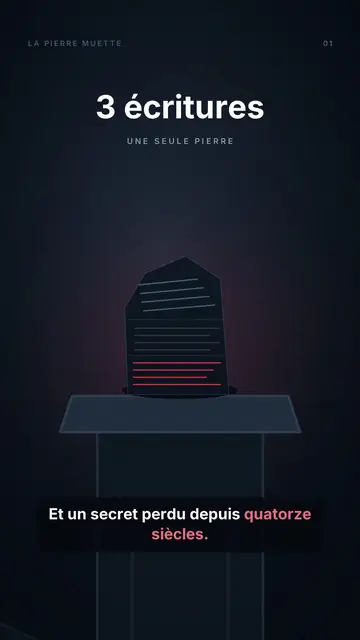
A human voice, with its hesitations and tone, holds attention better than a synthetic one on many topics. If you tell stories well, keep your voice: ClipOnIt transcribes it word by word, uses it to split the scenes and places each element at the exact moment you name it.
You can record in several takes, sentence by sentence, and redo the one that stumbles. A podcast excerpt or a voice memo works too, as long as the voice is clear. This feature is part of the paid plans; on the free plan, a synthetic voice reads your text.
How to do it in 3 steps
- Record or import
On the mic in the editor, or an audio file you already have.
- Pick the style
AI transcribes, splits into scenes and looks for elements that illustrate each sentence.
- Check the sync
Elements are synced to your words; adjust one if needed, then render the MP4.
What people use it for
- Podcast excerptA passage from your episode, illustrated for TikTok or Reels.
- Spoken storyA tale, a memory, an anecdote, with your voice and your pace.
- Expert memoA tip dictated while walking, turned into a video the same evening.
- Spoken lessonA recorded explanation, illustrated for your students.
- Brand voice-overThe voice of the founder or a spokesperson on every video.

A sample script
A one-minute voice memo, recorded while walking by a dietitian. Here is what she says, word for word; the video keeps her voice and illustrates each sentence (an example written for this page):
People often ask me whether wholemeal bread makes you fat. The short answer: no, no more than white bread. It even has an edge: its fibre keeps you full longer. So for the same amount, you are less hungry at eleven. The trap is what you put on it.
Mistakes to avoid
- Music under the voiceTranscription errs more often when music covers the voice. Record dry; the style's music bed is added afterwards.
- A 20-minute recordingA whole episode makes a video too long for social media. First cut the one-minute passage that stands on its own.
- A phone mic at arm's lengthA distant, echoing voice is hard to follow. Speak about 20 centimetres from the mic, in a quiet room.
Length, fixes and limits
- Recommended length30 to 60 seconds of voice make the most effective video. If you run longer, split your recording into episodes rather than forcing one video.
- Fine-tune with the AI DirectorWhen recording, the clean-up cuts silences longer than one second and reduces noise. Then ask the Director for “a more concrete visual when I mention fibre”, or redo a single take: the video re-syncs to your new sentence.
- LimitsYour voice is used as is: no translation and no change of timbre. This feature is not on the free plan, and a voice buried in noise gives less precisely synced visuals.
Frequently asked questions
Format, voice, pricing: the short answers.
Which audio files?
Common audio formats (MP3, WAV, M4A…). A clear voice with no background music gives the best transcription.
Is my voice altered?
No, your recording is the soundtrack. AI uses it to time the scenes and elements.
Can I use several takes?
Yes. Record sentence by sentence and redo the one that is off; the video is built on the whole set.
Is it in the free plan?
No, your own voice is for paid plans, from Starter ($29/month). The free plan uses a synthetic voice.
How many audio minutes a month?
60 minutes on Starter, 180 on Pro and 600 on Business. Files go up to 300 MB, audio or video (MP3, WAV, M4A, MP4, MOV).
Is it free?
Yes, to start: the free plan gives 3 videos a month with a ClipOnIt watermark, in 8 styles (Pixel News, Press paper, Comedy cartoon, Class sketch, Night tale, Social screen, Retro synthwave, Flat vector), no credit card. Starter ($29/month): 15 watermark-free videos, all 24 styles plus your own, your own voice and the AI Director. Pro $49: 30 videos. Business $149: 100 videos and 3 seats.
Your video, in this style
Write one sentence: the style is already picked when you reach the editor.