教育動画メーカー
For teachers, trainers and education creators: a concept becomes a short animated video with captions that students watch on their phones.
Free: 3 videos a month with a watermark · 24 visual styles, plus your own
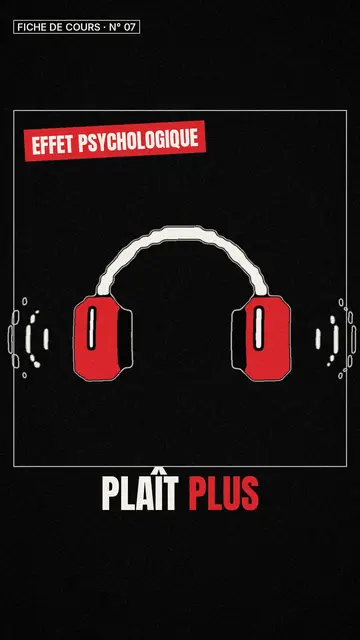
One concept per video
A short educational video works when it carries a single idea: a definition, a method, a common mistake. ClipOnIt helps you keep to that rule. You write the concept, AI drafts a short explanation, splits it into scenes and illustrates it; word-by-word captions help those watching without sound.
Always review the script before rendering: AI writes fast, you know what is right for your level. If you prefer your own wording, paste your text or record your voice (paid plans). For a full course, the “online course to explainer videos” page details the method.
How to do it in 3 steps
- Name the concept
“Pythagoras' theorem”, “the past participle”, “blood circulation”.
- スタイルを選ぶ
Class sketch for a sheet, Archibald for history and science, Wireframe for engineering.
- Check and share
Check the content, export the MP4 and share it on your school platform, channel or account.
What people use it for
- Flipped classroomThe concept to watch before class, so class time goes to exercises.
- RevisionOne video per key point of the syllabus, to review the night before a test.
- Professional trainingA rule, a procedure, a job skill, in under a minute.
- Education accountA regular series on TikTok or YouTube Shorts around your subject.
- LanguagesA grammar rule or vocabulary acted out.

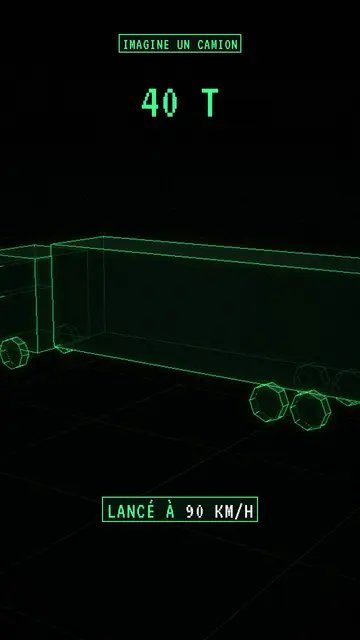
A sample script
A biology concept for middle-school students, Class sketch style, 45 seconds. The script follows a simple structure: question, explanation, example, line to remember (an example written for this page):
Why does your heart beat faster when you run? Your muscles need more oxygen. Blood carries it. So the heart speeds up to send more blood, faster. At rest, about 70 beats a minute. In a sprint, it can go past 150. Remember: more effort, more oxygen, more beats.
Mistakes to avoid
- Two concepts in one videoBreathing and circulation in the same minute is too much. One video each, and they follow each other in your playlist.
- Textbook vocabularyWrite the way you would explain it out loud in class. The technical word comes after the picture, not before.
- Forgetting the takeaway lineEnd with a short line the student can repeat. That is the one they will find again when revising.
Length, fixes and limits
- Recommended length45 to 60 seconds for a concept, 30 for a reminder before a test. Beyond 90 seconds attention drops sharply on a phone: split it into several videos.
- Fine-tune with the AI DirectorOn paid plans, ask the Director for “an everyday example in scene 3”, “simpler for 11-year-olds” or “add the takeaway line at the end”. You approve every change.
- LimitsNo built-in quiz or student tracking: ClipOnIt outputs an MP4 that you upload to your school platform or channel. Synthetic voices are in French and English.
Frequently asked questions
Format, voice, pricing: the short answers.
Is the content reliable?
AI can be wrong. Review the script and fix it before rendering, or paste your own text: it will be used as the narration.
Can students watch without sound?
Yes, captions are burned in word by word, at the pace of the voice.
Can I make a whole course?
Yes, lesson by lesson: one video per concept. The Pro plan (30 videos a month) covers a full module.
Are the videos private?
They stay in your account, hosted in the European Union. You choose where to post them.
How do I avoid mistakes in a lesson concept?
Choose “I have my script” and paste your own explanation: it is read as written. AI then only handles the visuals.
Can I show the video in class?
Yes, download the MP4 and play it from your computer or a USB stick, offline. The video is vertical: on a projector it fills the centre of the screen.
Is it free?
Yes, to start: the free plan gives 3 videos a month with a ClipOnIt watermark, in 8 styles (Pixel News, Press paper, Comedy cartoon, Class sketch, Night tale, Social screen, Retro synthwave, Flat vector), no credit card. Starter ($29/month): 15 watermark-free videos, all 24 styles plus your own, your own voice and the AI Director. Pro $49: 30 videos. Business $149: 100 videos and 3 seats.
Your video, in this style
Write one sentence: the style is already picked when you reach the editor.