ニュース動画メーカー
For newsrooms, news creators and analysts: paste your sourced text, ClipOnIt turns it into a newscast-style video, with date, credits and maps.
Free: 3 videos a month with a watermark · 24 visual styles, plus your own
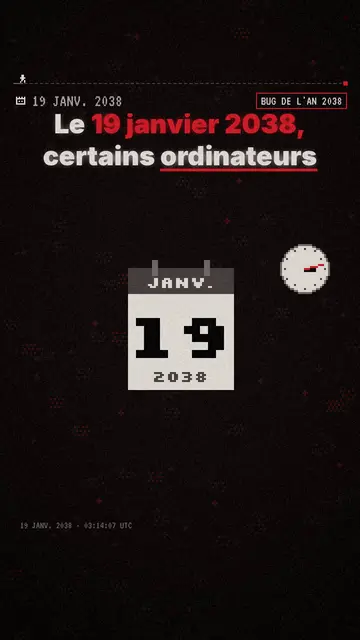
News, fast and sourced
A news video has to come out fast and stay accurate. ClipOnIt handles the speed: from your text, it builds the scenes, adds the date, credits and stamp, and syncs each visual to the sentence about it. Accuracy stays your job: for a news topic, paste your own sourced text rather than a one-line topic.
Three styles cover news. Pixel News, the TV newscast in pixel art. Flash brief, for ongoing stories without a dull second. Satellite briefing, with satellite imagery, flyovers and zooms on the places named. Each style keeps the same look from one video to the next, like a show's opening.
How to do it in 3 steps
- Paste your sourced text
The facts, figures, places and source.
- Pick the look
Pixel News, Flash brief or Satellite briefing depending on the story.
- Check and post
Check dates and names on screen, then export.
What people use it for
- Online newsroomThe vertical version of an article, for TikTok and Instagram.
- Monitoring digestThe week's three stories in your sector.
- GeopoliticsWhat is happening at a border, with a map.
- TimelineHow a case unfolded, date by date.
- Fact-checkingA claim, what the sources say, the verdict.
Recommended styles
- Free
ピクセル・ニュース
TV newscast in pixel art, with a date, a credit and a red stamp on every scene. Included in the free plan.
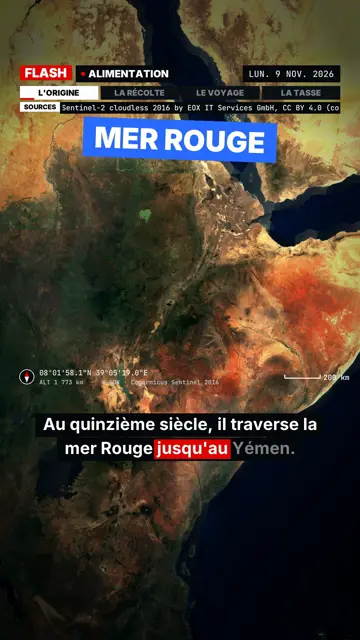
Flash brief
Breaking-news pace: slammed captions, a box on the spoken word, satellite map and sound effects.
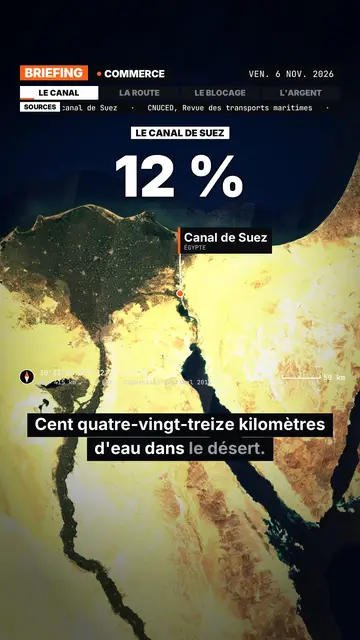
Satellite briefing
Satellite imagery, flyovers and zooms on the places named, sources on screen.
A sample script
Sourced text from a monitoring digest, Pixel News style, 45 seconds. The facts come from the writer; the video only stages them (an example written for this page, with fictional facts):
On Tuesday, the city of Leeds voted for free weekend buses. The measure starts on March 1. Announced cost: 4 million pounds a year, according to the council. Goal: fewer cars in the centre on Saturdays. A review is planned in one year. Source: council resolution.
Mistakes to avoid
- Starting from a one-line topicOn news, AI can fill gaps with inaccurate details. Paste your own text with the verified facts.
- Hard-to-pronounce proper namesListen to the render: if the voice stumbles on a name, spell it phonetically in the script and keep the correct spelling in your caption.
- An opinion slipped into the storyA news video keeps its strength when facts and commentary are kept apart. Put your analysis in a clearly flagged sentence, or in another video.
Length, fixes and limits
- Recommended length30 to 45 seconds for a news item, 60 for a timeline. A short, regular format (“the week's 3 stories”) builds loyalty better than an occasional long video.
- Fine-tune with the AI DirectorThe Director (paid plans) helps with the layout: “a map to place the city”, “put the source on screen at the end”, “a faster pace”. It does not check facts: that stays your job.
- LimitsClipOnIt does not fetch news from the web and uses no agency pictures: everything starts from your text and the style's library. Photos and footage of the real event are not included.
Frequently asked questions
Format, voice, pricing: the short answers.
Does AI check facts?
No. For news, start from your own sourced text and check every name, date and figure before rendering.
Is the satellite imagery real?
The Satellite briefing style uses real satellite imagery for the places named, with the source displayed.
How long from story to video?
The render takes a few minutes once the text is ready; add time for proofreading.
Can a team share it?
The Business plan includes 3 seats and 100 videos a month.
Does the news style show the date?
Yes, Pixel News shows a date and a credit on every scene. Check that they match your story before rendering.
Can I post to TikTok from ClipOnIt?
Yes. Once your TikTok account is connected, the video goes out as a draft or a post after you confirm in the app. For Instagram and YouTube, download the MP4.
Is it free?
Yes, to start: the free plan gives 3 videos a month with a ClipOnIt watermark, in 8 styles (Pixel News, Press paper, Comedy cartoon, Class sketch, Night tale, Social screen, Retro synthwave, Flat vector), no credit card. Starter ($29/month): 15 watermark-free videos, all 24 styles plus your own, your own voice and the AI Director. Pro $49: 30 videos. Business $149: 100 videos and 3 seats.
Your video, in this style
Write one sentence: the style is already picked when you reach the editor.