SaaSプロダクト動画
Explain what your software does in 30 to 60 seconds: the problem, the feature, the result. ClipOnIt writes, animates and captions; you post on release day.
Free: 3 videos a month with a watermark · 24 visual styles, plus your own

Show the value before the interface
A SaaS video that opens on the home screen loses people. One that opens on their problem keeps them. ClipOnIt illustrates the product idea with animated elements (an overflowing to-do list, a hot server, a table that tidies itself) rather than a screenshot: it does not record your interface.
You can ship one video per new feature, at the pace of your changelog. With the REST API and the MCP server (from the free plan), a product team can even generate it from its own tool or from Claude, starting from the release notes.
How to do it in 3 steps
- Describe the feature
Who it is for, which problem, what the feature changes. Three sentences are enough.
- Pick a tech style
Tech list for a feature list, Voxel night for a developer mood, Minimal line for a clean look.
- Post
Export the MP4 for LinkedIn, X, TikTok or your launch page.
What people use it for
- Feature announcementA short video for each changelog item.
- LaunchThe video for your Product Hunt page or launch post.
- OnboardingThe first three things to do in the tool, sent by email after sign-up.
- SalesOne video per common objection, to drop into a follow-up.
- HiringWhat the team does and why to join it.
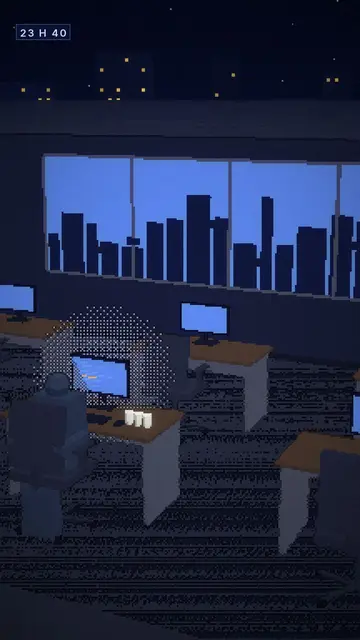

A sample script
Announcement of an automatic export feature for an invoicing tool, Tech list style, 30 seconds. The script talks about the problem before the product (an example written for this page):
Every month end, you export your invoices by hand for your accountant. Three files, two missed, one reminder email. Starting today, the export goes out on its own on the 1st, in the right format. Turn it on in one click in your settings.
Mistakes to avoid
- Opening with the product nameNobody stops for a name. Open on the situation your user lives through; the product arrives in the third sentence.
- Listing every featureOne video, one feature. The full list belongs on the pricing page, not in 40 seconds.
- Internal jargon“Bidirectional workflow sync” speaks to your team. “Your changes show up everywhere at once” speaks to the customer.
Length, fixes and limits
- Recommended length30 seconds for a feature announcement, 45 to 60 for a launch or onboarding video. On LinkedIn, the first 3 seconds must name the problem.
- Fine-tune with the AI DirectorThe Director (paid plans) takes product instructions: “swap the server for a table”, “end on the call to action”, “a more sober tone”. Your brand kit adds logo, colours and font to every render.
- LimitsClipOnIt does not record your screen or reproduce your interface: it illustrates the idea. For a step-by-step demo of the tool, add a regular screen recording.
Frequently asked questions
Format, voice, pricing: the short answers.
Can I show my interface?
ClipOnIt does not record the screen: it illustrates the product with animated elements. For an interface demo, combine the video with a screen capture in your editing software.
Can I automate one video per release?
Yes, with the REST API or the MCP server, from the free plan: a script or an agent sends the topic and gets the MP4 back.
What about 16:9 for my website?
Rendering is 9:16 only. On a web page, a vertical video works well next to the text or inside a phone frame.
In my colours?
Import your own style (2 on Starter, 5 on Pro, 20 on Business) so every video follows your guidelines.
Can I start from my release notes?
Yes: paste the passage describing the feature, rewritten as three or four user-facing sentences. Technical bullet lists make flat videos.
What does one video per feature cost?
Starter ($29/month) covers 15 videos a month, enough for an active changelog. Pro ($49) goes up to 30 and Business ($149) to 100, with 3 seats.
Is it free?
Yes, to start: the free plan gives 3 videos a month with a ClipOnIt watermark, in 8 styles (Pixel News, Press paper, Comedy cartoon, Class sketch, Night tale, Social screen, Retro synthwave, Flat vector), no credit card. Starter ($29/month): 15 watermark-free videos, all 24 styles plus your own, your own voice and the AI Director. Pro $49: 30 videos. Business $149: 100 videos and 3 seats.
Your video, in this style
Write one sentence: the style is already picked when you reach the editor.