Isometric tech video — Isometric technical board style
Make a tech video as an isometric board: a white installation seen in one long pan, screens lighting up on the word, FIG. 0X captions and orange stamps.
Starter に含まれ、81種類のスタイルすべてと独自のスタイルが使えます · プレビューは ClipOnIt エンジンで生成
このスタイルの見た目
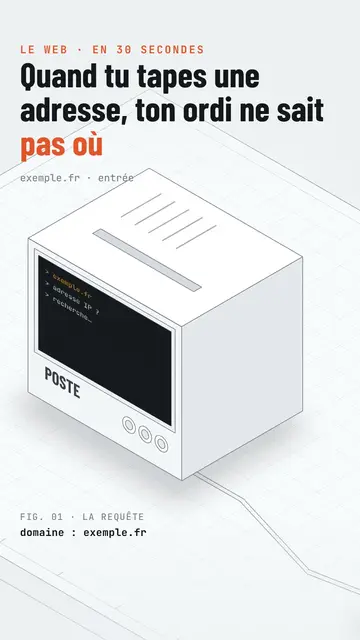
Isometric technical board presents your topic like an exhibition board. An all-white product installation, with fine edges drawn like a plan, stretches out in isometric view: monitors, boxes, a robot arm, a counter, walls of screens. The camera pans along it continuously, never cutting, and frames the device the voice is talking about. On the spoken word, its screens light up: amber hexadecimal text, a website, a command line.
The title is in black condensed capitals, with the key word in orange and an orange mono kicker above. At the bottom, a mono “FIG. 0X” caption names what you see, with a bold data line below (“stars: 405,942”). An orange label drops onto the device on the word, like a stamp (“13 issues”, “0.4%”), and the camera can zoom in on it. The end lights up a giant “SUBSCRIBE” wall of screens with a search bar.
向いているテーマ
Avoid: stories with characters or emotions: the installation is made of devices, not people. Also avoid topics outside technology, like cooking or history; the set does not allow it.
- How the Internet and networks workEach device in the installation plays a role: server, router, screen, in a single continuous shot.
- Tech product presentationsThe white installation and the FIG. captions give the look of a design catalogue.
- Software and AIScreens lighting up show what the program does, step by step.
- An open-source project's numbersThe data line and the orange stamp show the figure without a complicated chart.
このスタイルの動画アイデア
- What happens when you type a web address
The computer asking for the IP, the 13 root servers from A to M, the TLS padlock and the screen showing the page.
- How a robot sorts parcels
The framed robot arm, the climbing counter and the orange label with the error rate.
- What a server really does
The box lighting up, the wall of screens and the FIG. 03 caption.
- The open-source tool with 400,000 stars
The monitor showing the site, the data line and the zoom on the label.
1クリックで利用可能
- このスタイルのリンクを開く
「このスタイルで動画を作成」ボタンを押すと、そのスタイルを選んだ状態でエディターが開きます。アカウントがなくても、登録は1分ほどで、カード情報も不要です。
- 一文でテーマを書く
テーマは一つで十分です。テキストを貼り付けるか、Starterからマイクに向かって話すこともできます。その場合、動画はあなたの声をもとに作られます。
- 確認してから書き出し
AIがシーンを作成し、スタイルの要素を配置して、言葉のタイミングに合わせます。音声と字幕も付きます。気になる箇所を直せば、数分で縦型MP4が届きます。
調整できる項目
For each scene you pick the kicker, the line under the title, the FIG. caption and its data line, the device the camera frames (screen, wall, arm, box, counter or element) and what its screen shows, the orange label and its word, the zoom and the text of the final search bar.
よくある質問
無料プラン、出力、用途について:手短にお答えします。
Does the camera cut between scenes?
No. The camera pans along the installation in one continuous movement and goes from one device to the next as the text goes on.
自分の声を使えますか?
Yes. Record yourself or import your audio: screens light up and labels drop on your words.
How is it different from Wireframe?
Wireframe shows 3D objects in neon green lines on a black grid floor. Isometric technical board stays white and light, with an installation seen in one pan and catalogue captions.
このスタイルは無料プランで使えますか?
いいえ、Starter($29/月)に含まれます:月15本のウォーターマークなし動画と、81種類のスタイルすべて、さらに独自のスタイルも。無料プランでは月3本まで、ウォーターマーク付きで、他の8スタイルが使えます:Pixel News、Press paper、Comedy cartoon、Class sketch、Night tale、Social screen、Retro synthwave、Flat vector。
このスタイルがお好みなら
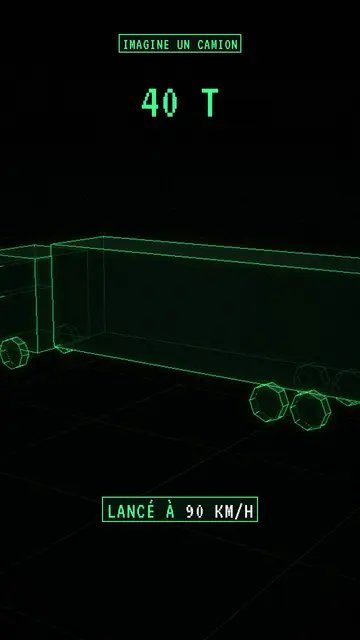
ワイヤーフレームアニメーション動画
ワイヤーフレームスタイル · グリッドの床に置かれたネオングリーンのワイヤーフレーム3Dオブジェクト。
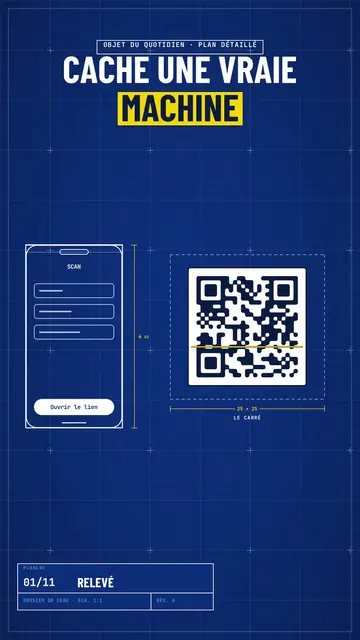
Blueprint diagram video
Blue blueprint style · A gridded blue blueprint sheet: line-drawn wireframes, dimensions, a title block and a yellow note.
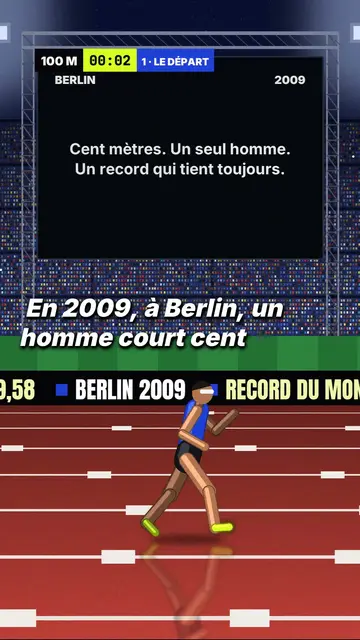
3D sports challenge video
Night stadium style · A 3D athletics stadium at night, a runner in a side tracking shot, a giant screen and an LED banner.