Film strip timeline video — Amber film strip style
Make a timeline video on an amber film strip that rolls by: each step in its own frame, glowing burnt holes between scenes and a rolling counter.
Starter に含まれ、81種類のスタイルすべてと独自のスタイルが使えます · プレビューは ClipOnIt エンジンで生成
このスタイルの見た目
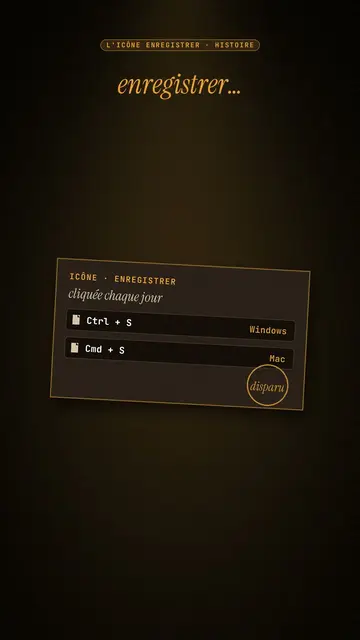
Amber film strip plunges your video into a warm black background, lit by an amber beam like in a projection room. A perforated film strip rolls by and carries the steps of the story in its frames: dates, versions, codes, a commit history. To move on, a glowing burnt hole pierces the image, grows and reveals the next scene, like film heating up in the projector.
At the top, a single word at a time shows along with the voice, in white sans-serif or in amber italic serif for the strong word. A small amber mono label at the very top gives the subject. In the centre, other blocks can take the strip's place: a rolling counter, brown cartridges with their lines, reels, a label, a memory card. A mono terminal can type its lines at the bottom, and the end shows “Comment”.
向いているテーマ
Avoid: topics with no sense of time or steps: the strip needs a sequence to roll through. Also avoid very colourful or cheerful topics; the style stays dark, warm and slightly nostalgic.
- Timelines of objects and inventionsEach film frame is a date: viewers see the object change from era to era.
- Version and code historyThe commit history in the strip and the terminal at the bottom speak to developers.
- Film and retro cultureThe projection room and the reels set a mood straight away.
- The “before / after” of a technologyThe burnt hole revealing the next scene marks the move from one era to the next.
このスタイルの動画アイデア
- The Save icon is a vanished floppy disk
The “Ctrl + S” cartridge, the strip with 1971, 1976, 1981, the counter up to 1.44 MB and the end of production in 2011.
- Git explained in 30 seconds
The commit history in the strip, the typing terminal and a burnt hole at each branch.
- The story of the first colour film
The reels, the dates in frames and the word “colour” in amber serif.
- How your phone replaced ten objects
The strip of objects, the rolling counter and the memory card at the end.
1クリックで利用可能
- このスタイルのリンクを開く
「このスタイルで動画を作成」ボタンを押すと、そのスタイルを選んだ状態でエディターが開きます。アカウントがなくても、登録は1分ほどで、カード情報も不要です。
- 一文でテーマを書く
テーマは一つで十分です。テキストを貼り付けるか、Starterからマイクに向かって話すこともできます。その場合、動画はあなたの声をもとに作られます。
- 確認してから書き出し
AIがシーンを作成し、スタイルの要素を配置して、言葉のタイミングに合わせます。音声と字幕も付きます。気になる箇所を直せば、数分で縦型MP4が届きます。
調整できる項目
For each scene you pick the top label, the central block that appears on the word (film strip, counter, cartridge, reels, label or comment card), a terminal at the bottom with its lines, an italic serif line under the block, and an opening through a burnt hole.
よくある質問
無料プラン、出力、用途について:手短にお答えします。
How many steps fit on the strip?
Each frame carries a short step: a date, a version, a name. Three to six frames per scene stay readable on a phone.
自分の声を使えますか?
Yes. Record yourself or import your audio: the top word, the strip and the burns follow what you say.
How is it different from Dark archive collage?
Dark archive collage layers front pages and archive photos. Amber film strip rolls a film band carrying the steps, with a single word on screen.
このスタイルは無料プランで使えますか?
いいえ、Starter($29/月)に含まれます:月15本のウォーターマークなし動画と、81種類のスタイルすべて、さらに独自のスタイルも。無料プランでは月3本まで、ウォーターマーク付きで、他の8スタイルが使えます:Pixel News、Press paper、Comedy cartoon、Class sketch、Night tale、Social screen、Retro synthwave、Flat vector。
このスタイルがお好みなら
Archive documentary video
Dark archive collage style · Old sepia front pages, cut-out photos and postcards sliding in layers on a dark backdrop.
Finance explainer video
Night report style · A financial investigation on a warm dark background, amber glow or coral asterisk, white serif title.
ムーディーなピクセルアートのストーリー動画
ムードピクセル・スタイル · 暖かく暗いピクセルアート。輝く黄色の光が印象的。