Retro 1960s space video — Capsule cockpit style
Make a video inside a 1960s space capsule: a panel of dials and lights, a porthole on the Earth or the Moon, and a green 7-segment counter display.
Starter に含まれ、81種類のスタイルすべてと独自のスタイルが使えます · プレビューは ClipOnIt エンジンで生成
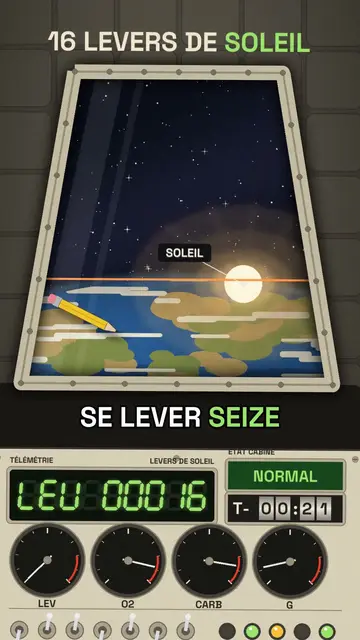
このスタイルの見た目
Capsule cockpit puts the camera inside a retro 1960s space capsule. In front of you, a cream panel covered with switches, lights and needle dials; in the centre, a large trapezoid porthole showing whatever the voice describes: the Earth, the Moon, a sunrise, a multi-stage rocket separating or parachutes opening.
The counter shows on a green 7-segment display with its code (“ALT 00408”), and a countdown can spin on mechanical rollers. Objects float weightless in the cabin, a warning light turns red when something is wrong, and a ray of sunlight sweeps across the panel as the capsule turns. The ending can pull back to show the capsule in orbit.
向いているテーマ
Avoid: topics unrelated to space, flight or engineering: the cockpit needs something to see through the porthole. Also avoid stories with several characters; you stay alone on board, facing the panel.
- Space and astronautsThe porthole shows the Earth and the Moon as if you were on board.
- Records and crazy numbersThe 7-segment display rolls big numbers with suspense.
- Physics made simpleWeightlessness and floating objects make the laws of motion visible.
- The history of the space raceThe 1960s look fits the missions that defined the era.
このスタイルの動画アイデア
- Your sunrises in orbit
Sixteen sunrises a day, the LEV display climbing to nearly 7,000 and the final wide shot.
- How long it takes to get to Mars
The porthole on a shrinking Earth and the countdown on rollers.
- Why you float on the ISS
Objects floating in the cabin and the orbital speed dial.
- Coming back to Earth in 10 minutes
The red light, the heat at the porthole, then the parachutes opening.
1クリックで利用可能
- このスタイルのリンクを開く
「このスタイルで動画を作成」ボタンを押すと、そのスタイルを選んだ状態でエディターが開きます。アカウントがなくても、登録は1分ほどで、カード情報も不要です。
- 一文でテーマを書く
テーマは一つで十分です。テキストを貼り付けるか、Starterからマイクに向かって話すこともできます。その場合、動画はあなたの声をもとに作られます。
- 確認してから書き出し
AIがシーンを作成し、スタイルの要素を配置して、言葉のタイミングに合わせます。音声と字幕も付きます。気になる箇所を直せば、数分で縦型MP4が届きます。
調整できる項目
For each scene you pick the porthole view (Earth, Moon, sun, rocket, parachutes…) and its target, the title, the display value with its code and label, the floating objects, the labels, the status light and the moment the chapter changes.
このスタイルで描画
ライブラリに2 299個の要素があり、意味で検索できます。主なもの:
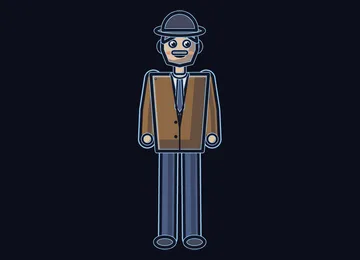 キャラクター
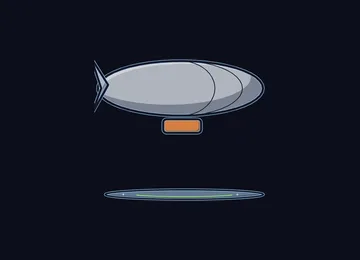 デバイス
 ドキュメント・場所
 データ
 背景
 科学
 アクション
 オブジェクト
よくある質問
無料プラン、出力、用途について:手短にお答えします。
Does the capsule copy a real mission?
No. The cockpit is drawn by the engine in the spirit of 1960s capsules, with no space agency logo or brand. You can tell a real mission or an imaginary scenario.
自分の声を使えますか?
Yes. Record yourself or import your audio: the display rolls and the porthole changes on your words, like an onboard radio message.
How is it different from Deep-sea sonar?
Deep-sea sonar goes down under the sea, on an amber screen revealing echoes. Capsule cockpit goes up into orbit, behind a cream dial panel, with a porthole on the Earth.
このスタイルは無料プランで使えますか?
いいえ、Starter($29/月)に含まれます:月15本のウォーターマークなし動画と、81種類のスタイルすべて、さらに独自のスタイルも。無料プランでは月3本まで、ウォーターマーク付きで、他の8スタイルが使えます:Pixel News、Press paper、Comedy cartoon、Class sketch、Night tale、Social screen、Retro synthwave、Flat vector。
このスタイルがお好みなら
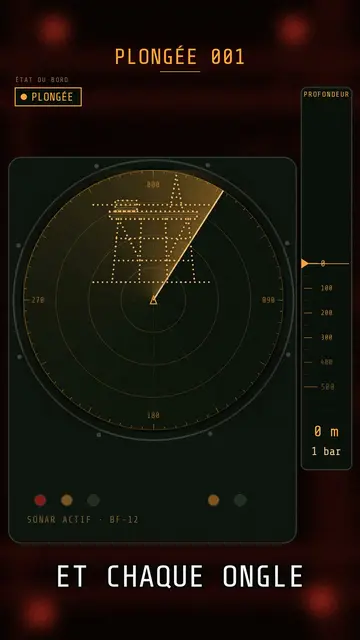
Submarine sonar video
Deep-sea sonar style · A submarine's sonar station: amber screen, dotted echoes, ring pings, a depth gauge going down.
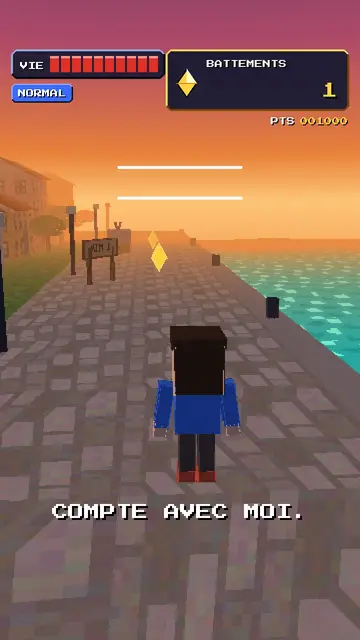
Retro PS1 game style video
32-bit polygons style · Your topic as a 32-bit console 3D game: a square-headed hero, wobbling textures, a rolling score.
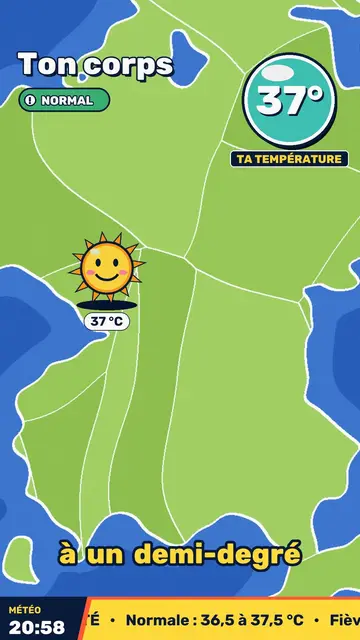
Retro TV weather video
Retro weather report style · Your topic presented like a 90s TV weather report: flat-colour map, hijacked icons, a temperature badge.