Tech tutorial video maker — Terracotta studio style
Make a tech tutorial video with UI cards floating in light 3D on cream: numbered labels, rolling counters, terracotta plates and italic serif captions.
Starter に含まれ、27種類のスタイルすべてと独自のスタイルが使えます · プレビューは ClipOnIt エンジンで生成
このスタイルの見た目
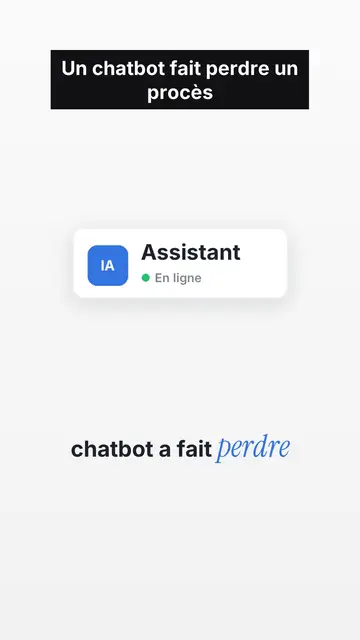
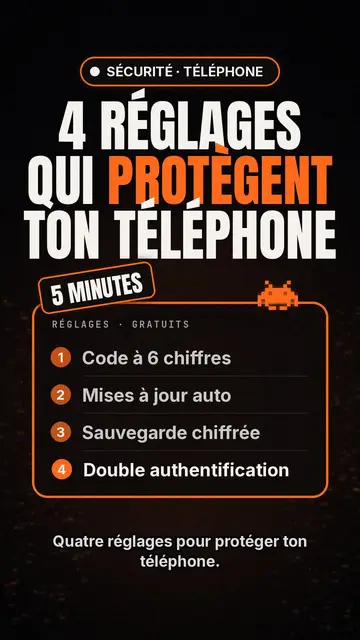
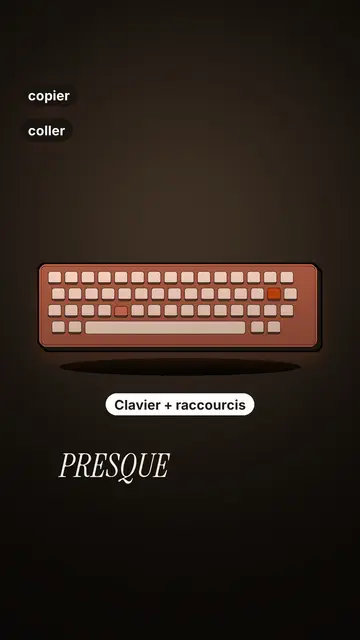
Terracotta studio explains a tool as if on a tidy workbench. On a cream background, interface cards float in light 3D, with real perspective and a warm shadow: an app window, a list of steps, an editing timeline, a sound wave drawing itself, a pad of keys lighting up one by one. At the top, a numbered label (“01”, the tool's name, “free”) says where you are and stays put while that tool is discussed. Each card enters on the word that names it.
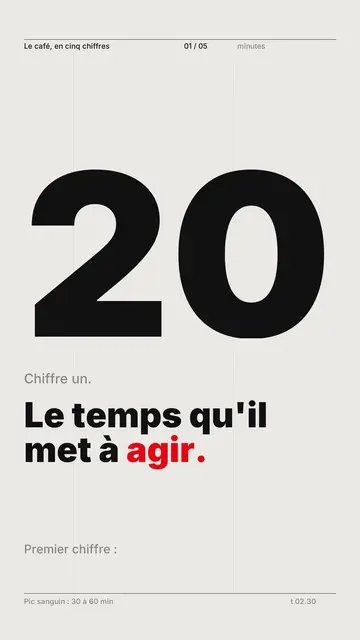
The promise lands on a solid terracotta plate: an asterisk, an extra-bold grotesque title and an underlined italic serif word. The key number rolls in a giant counter above a floor of small cards in perspective. Small labels pop around the cards on the strong words, and captions run word by word in uppercase italic serif, the key word in terracotta. The end shows a numbered card and a button that lights up and then gets clicked.
向いているテーマ
Avoid: stories carried by characters, places or emotions: the style shows interfaces, lists and numbers, not scenes from life. Also avoid topics without steps or a concrete tool; a card should always show something you can do.
- Tool tutorialsEach tool gets its numbered label and its cards: viewers follow the order without getting lost, even in 30 seconds.
- Tech tipsA shortcut, a hidden setting, a command: the lit keys and the window show the exact move.
- How things workA search, a sound, an edit: the card filling up shows the mechanism step by step.
- Free tools and app round-ups“3 free tools”, “5 apps to install”: the plate announces the number, the end card sums up the list.
このスタイルの動画アイデア
- 3 keyboard shortcuts that save time
The lit keys, the closed-tabs window, the clipboard history and the card to keep.
- 5 free sites to find sounds
One label per site, the wave drawing itself, the counter of royalty-free sounds and the final list.
- How AI finds an image in one second
The typed search, the scrolling film strip, the image at the exact frame and the accuracy score.
- Editing a video on your phone
The timeline where clips stack up, the sound meter and the “Export” button clicked at the end.
1クリックで利用可能
- このスタイルのリンクを開く
「このスタイルで動画を作成」ボタンを押すと、そのスタイルを選んだ状態でエディターが開きます。アカウントがなくても、登録は1分ほどで、カード情報も不要です。
- 一文でテーマを書く
テーマは一つで十分です。テキストを貼り付けるか、Starterからマイクに向かって話すこともできます。その場合、動画はあなたの声をもとに作られます。
- 確認してから書き出し
AIがシーンを作成し、スタイルの要素を配置して、言葉のタイミングに合わせます。音声と字幕も付きます。気になる箇所を直せば、数分で縦型MP4が届きます。
調整できる項目
For each scene you pick one to three cards out of twelve (window, list, timeline, wave, pads, counter, meter, score, numbered frames, search, film strip or a library element), the numbered label for that part, up to three small labels and the word where each one appears. A terracotta plate carries the promise, a number shot rolls the key figure, and the end card lists your tools with a button. Your own voice works too: everything locks onto the spoken words.
このスタイルで描画
ライブラリに9 517個の要素があり、意味で検索できます。主なもの:
 キャラクター
 デバイス
 ドキュメント・場所
 データ
 背景
 インターフェース
 科学
 アクション
よくある質問
無料プラン、出力、用途について:手短にお答えします。
Do I need screenshots of my tools?
No. The engine draws the interface cards from your text: titles, lines, keys, numbers. No screenshot or brand logo is used.
自分の声を使えますか?
Yes. Record yourself or import your audio: every card, every key and every caption word locks onto what you say.
How is it different from Clean interface?
Clean interface tells a story in OS-style windows with a clicking cursor. Terracotta studio is built for tutorials: cards in light 3D, a numbered label per tool, terracotta plates and counters.
このスタイルは無料プランで使えますか?
いいえ、Starter($29/月)に含まれます:月15本のウォーターマークなし動画と、27種類のスタイルすべて、さらに独自のスタイルも。無料プランでは月3本まで、ウォーターマーク付きで、他の8スタイルが使えます:Pixel News、Press paper、Comedy cartoon、Class sketch、Night tale、Social screen、Retro synthwave、Flat vector。