Comic avatar explainer video — Editorial avatar style
Make a video with a bold-line comic narrator who changes pose each sentence, stickers that pop on the word and paper that switches colour by chapter.
Starter に含まれ、81種類のスタイルすべてと独自のスタイルが使えます · プレビューは ClipOnIt エンジンで生成
このスタイルの見た目
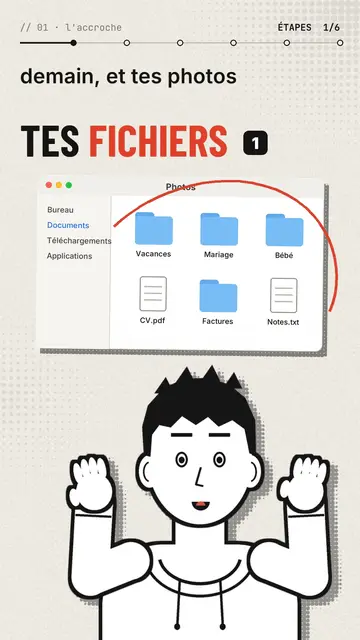
Editorial avatar puts a comic-drawn narrator at the bottom of the screen, in bold black line, who talks to you like a presenter. With each sentence it changes pose: it points, raises its hands, facepalms, pulls out a magnifier, holds its chin or gives a thumbs up. Its face follows the tone, surprised, sly or worried. Above it, stickers pop on the word: a Finder window, a terminal, a certificate with a medal, a sealed envelope, a before/after.
The background is a lightly halftoned cream paper that switches to red, black or navy when a new chapter starts. Titles are in condensed grotesque, one word in red, with a numbered badge, and a mono breadcrumb at the top shows where you are (“// 03 · the prompt”). A red circle can ring a detail of a sticker, and the end types “Comment WORD” into a comment field before the subscribe button.
向いているテーマ
Avoid: topics set in a specific place or that need maps and landscapes: the set stays plain paper. Also avoid stories with several characters; there is only one narrator.
- Tool and AI tutorialsThe narrator points at the window or the terminal while explaining, like a teacher in front of the screen.
- Faceless channelsThe avatar gives the channel a face without you having to film yourself.
- Practical tipsOne chapter per tip, one paper colour per chapter: the structure shows.
- Common mistakesThe facepalm and the red circle on the sticker say “don't do this” better than a sentence.
このスタイルの動画アイデア
- The 3-2-1 backup rule
The Photos window popping up, the three copies as stickers and the narrator pointing at the external drive.
- Write a good prompt in 4 steps
One chapter per step, the terminal as a sticker and a thumbs up on the good example.
- Spot a scam email
The sealed envelope, the red circle on the address and the facepalm on the trap link.
- What your certificate really proves
The medal certificate, the magnifier and the paper turning black for the warning.
1クリックで利用可能
- このスタイルのリンクを開く
「このスタイルで動画を作成」ボタンを押すと、そのスタイルを選んだ状態でエディターが開きます。アカウントがなくても、登録は1分ほどで、カード情報も不要です。
- 一文でテーマを書く
テーマは一つで十分です。テキストを貼り付けるか、Starterからマイクに向かって話すこともできます。その場合、動画はあなたの声をもとに作られます。
- 確認してから書き出し
AIがシーンを作成し、スタイルの要素を配置して、言葉のタイミングに合わせます。音声と字幕も付きます。気になる箇所を直せば、数分で縦型MP4が届きます。
調整できる項目
For each scene you pick the chapter name, the paper colour, the title and its style (grotesque or serif), up to three stickers with the word where they pop and the word where a red circle rings them, the narrator's pose and expression, confetti and the word to comment at the end.
よくある質問
無料プラン、出力、用途について:手短にお答えします。
Can the narrator look like me?
The built-in narrator is the same for everyone. For a look of your own, import your own style from reference images, from Starter.
自分の声を使えますか?
Yes. Record yourself or import your audio: poses and stickers change on the words you say.
How is it different from Drawn actor?
Drawn actor is a pencil performer acting each sentence in close-up. Editorial avatar is a comic presenter at the bottom of the screen who shows stickers and windows.
このスタイルは無料プランで使えますか?
いいえ、Starter($29/月)に含まれます:月15本のウォーターマークなし動画と、81種類のスタイルすべて、さらに独自のスタイルも。無料プランでは月3本まで、ウォーターマーク付きで、他の8スタイルが使えます:Pixel News、Press paper、Comedy cartoon、Class sketch、Night tale、Social screen、Retro synthwave、Flat vector。
このスタイルがお好みなら
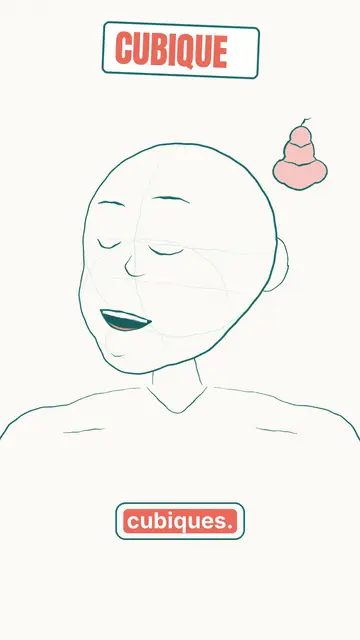
Animated cartoon character video
Drawn actor style · A pencil-drawn character performs your script like an actor, one expression at a time.
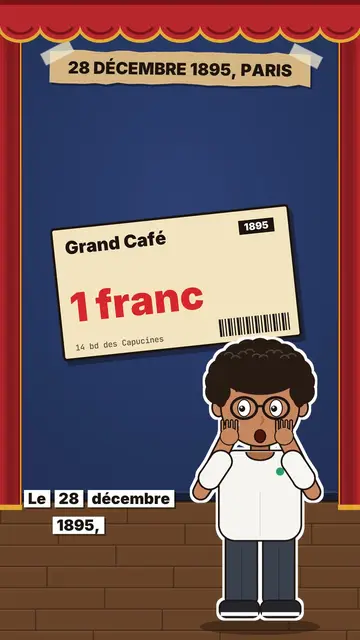
Review video on a stage
Little flat theatre style · A small flat-colour theatre stage: red curtain, changing wall, an avatar who acts and reacts.
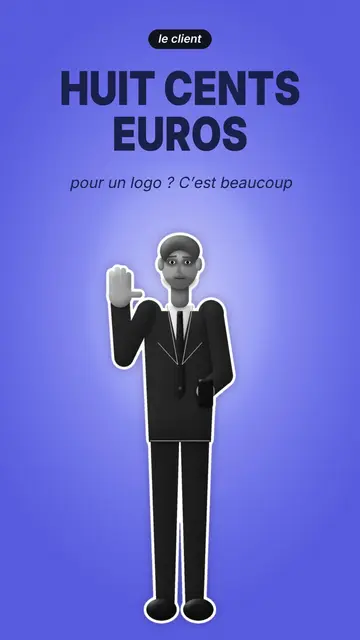
Cut-out photo dialogue video
Cut-out photo style · Black-and-white people cut out like stickers on a blue-violet gradient, a giant navy title.